
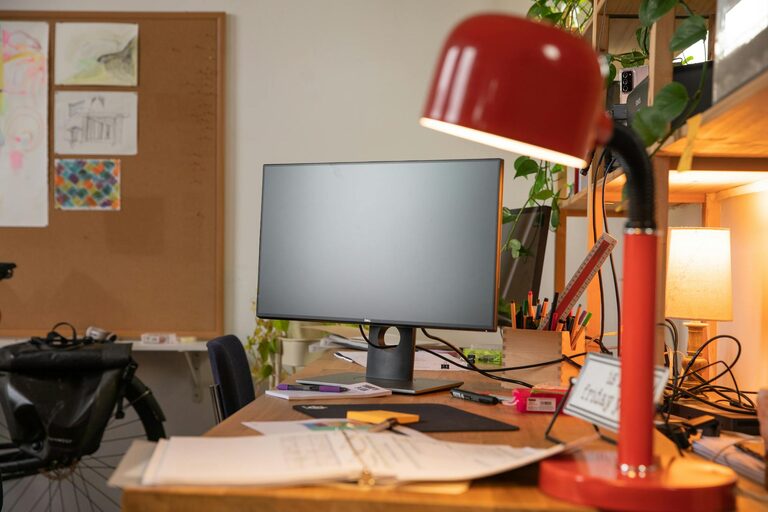
Creating a cozy and functional home workspace is essential for anyone working or studying from home. A well-designed space not only boosts productivity but also helps maintain a positive mindset throughout the day. Whether you have a dedicated room or a small corner, these tips will help you set up a comfortable and efficient workspace tailored to your needs.
1. Choose the Right Location
Selecting the right spot for your workspace is the first step. Ideally, look for a quiet area with minimal distractions where you can focus. If you have a spare room, this can become your dedicated office. If space is limited, consider a corner of your living room or bedroom that can be clearly defined as your work zone.
Consider Natural Light
Position your desk near a window if possible. Natural light helps reduce eye strain and elevates mood, making your work hours more pleasant. Avoid glare on your computer screen by adjusting blinds or using curtains to filter sunlight when needed.
Minimize Noise and Interruptions
If you live with others, choose a location away from noisy household activities. Using noise-canceling headphones or playing soft background music can help create a focused atmosphere.
2. Invest in Comfortable Furniture
Comfort plays a big role in maintaining productivity. Investing in ergonomic furniture reduces physical strain and helps you work for longer periods without discomfort.
Desk
Choose a desk with enough surface area to hold your computer, notebooks, and other essentials. Adjustable-height desks are a great option if you want to alternate between sitting and standing.
Chair
Select an ergonomic chair that supports your lower back and promotes good posture. Adjustable features allow you to customize the height and tilt for your comfort.
Accessories
Adding a footrest, wrist rest, or monitor stand can enhance ergonomics and reduce fatigue.
3. Organize Your Space Efficiently
A clutter-free workspace encourages focus and saves time searching for essentials.
Storage Solutions
Use shelves, drawers, or filing cabinets to keep documents and supplies organized. Desk organizers can hold pens, sticky notes, and chargers within easy reach.
Cable Management
Keep cords tangle-free and out of sight by using cable clips or sleeves. This not only improves appearance but also prevents accidental unplugging or tripping.
Digital Organization
Organize your computer files with clear folder structures and use cloud storage for easy access and backup.
4. Personalize Your Workspace
Adding personal touches makes your workspace inviting and unique, boosting motivation.
Decor
Include items like plants, artwork, or photos that inspire you. Plants add a splash of green and improve air quality.
Colors
Choose colors that make you feel calm and focused. Soft blues, greens, or neutral tones are commonly recommended, but pick what resonates with you.
Lighting
Use warm, adjustable task lighting to reduce eye strain during late hours. Desk lamps with brightness control add flexibility.
5. Create Healthy Habits
Your workspace design should promote wellness alongside productivity.
Movement Breaks
Set reminders to stand, stretch, or take short walks every hour. Consider a standing desk if sitting for long periods is uncomfortable.
Hydration and Snacks
Keep a water bottle nearby to stay hydrated. Healthy snacks nearby can help maintain energy levels.
Air Quality
Ensure adequate ventilation. Opening a window occasionally or using an air purifier can refresh the air in your workspace.
6. Use Technology Wisely
Technology should aid your work, not distract you.
Essential Equipment
Ensure you have reliable internet, a quality keyboard and mouse, and any specialized tools needed for your work.
Minimizing Distractions
Use apps or browser extensions that block distracting websites during work hours. Silence unnecessary notifications.
Backup and Security
Frequently back up your work and use strong passwords to protect your data.
7. Keep It Flexible
Your workspace needs might change over time. Designing a flexible space allows you to adapt easily.
Modular Furniture
Opt for furniture that can be moved or reconfigured as needed.
Multi-purpose Spaces
In small homes, consider foldable desks or storage that doubles as seating.
—
Creating a workspace that feels cozy and functional is achievable with thoughtful planning and simple adjustments. By focusing on comfort, organization, and personalization, you’ll build an environment where productivity and well-being go hand in hand. Take the time to tailor your workspace to your habits and preferences, and enjoy the benefits of working from home more comfortably.